Device safety for schools and families
Total Safety Across Every Screen—Tablets, Phones, and Laptops.
Whether it’s a classroom tablet, a student's smartphone, or a computer lab PC, Alobam EduSafe keeps devices focused on learning during school hours and safely managed by parents after hours.
Android tablets and phones · Windows laptops and lab PCs · Works offline and on mobile data
Smart Rules for Every Device Your Students Use.
Eliminate distractions on mobile phones, restrict tablets to educational tools, and secure lab laptops—all from a single, centralized dashboard. Works seamlessly offline and across mobile networks.
For School Administrators & ICT Leads
Unified Device Management
Control Android tablets, smartphones, and Windows laptops or PCs side by side without needing separate software.
Lab & Laptop Security
Lock down Windows laptops and lab PCs during exams, push required software remotely, and reset user sessions with one click.
Offline & Mobile Data Filtering
On-device filtering ensures policies remain active whether students are on school Wi-Fi, using personal phone data, or entirely offline.
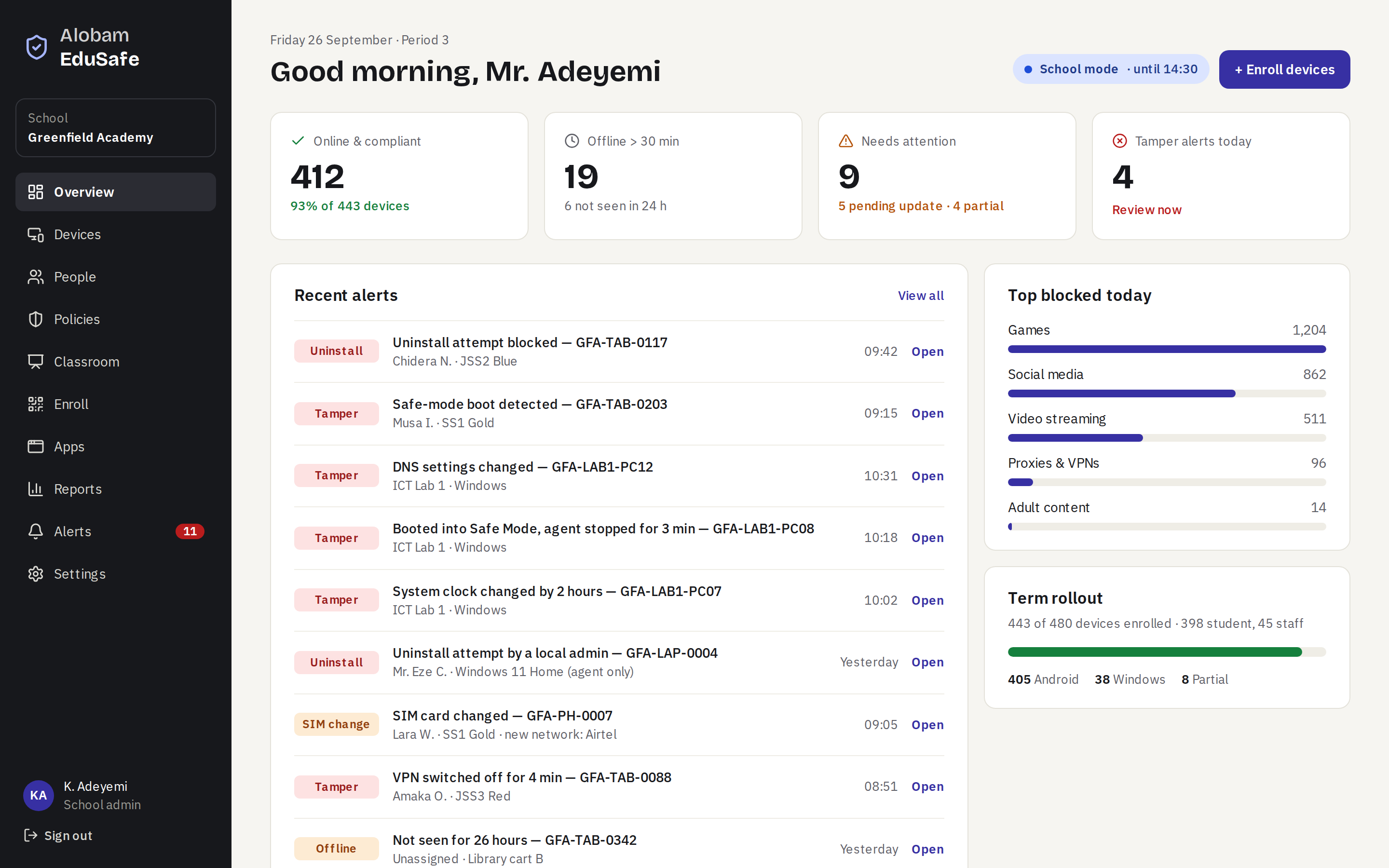
Everything the school needs, on one screen
The overview shows every tablet, phone and PC: what's online and compliant, what needs attention and today's tamper alerts. From there, every device is one click away.
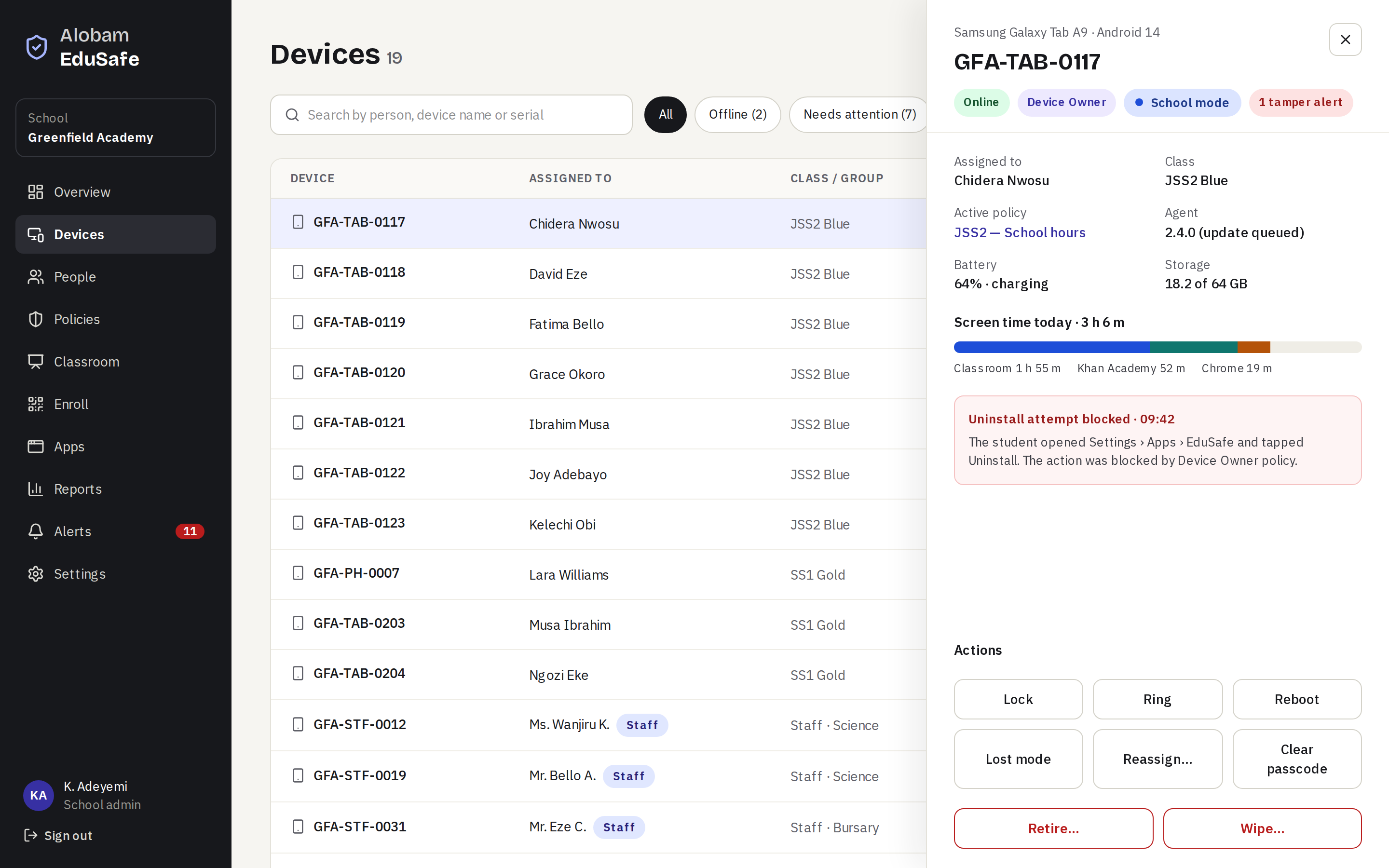
Act on any device in seconds
Lock it, ring it, reassign it or put it in lost mode. Wiping a device asks for its ID and a two-step code, so it never happens by accident.
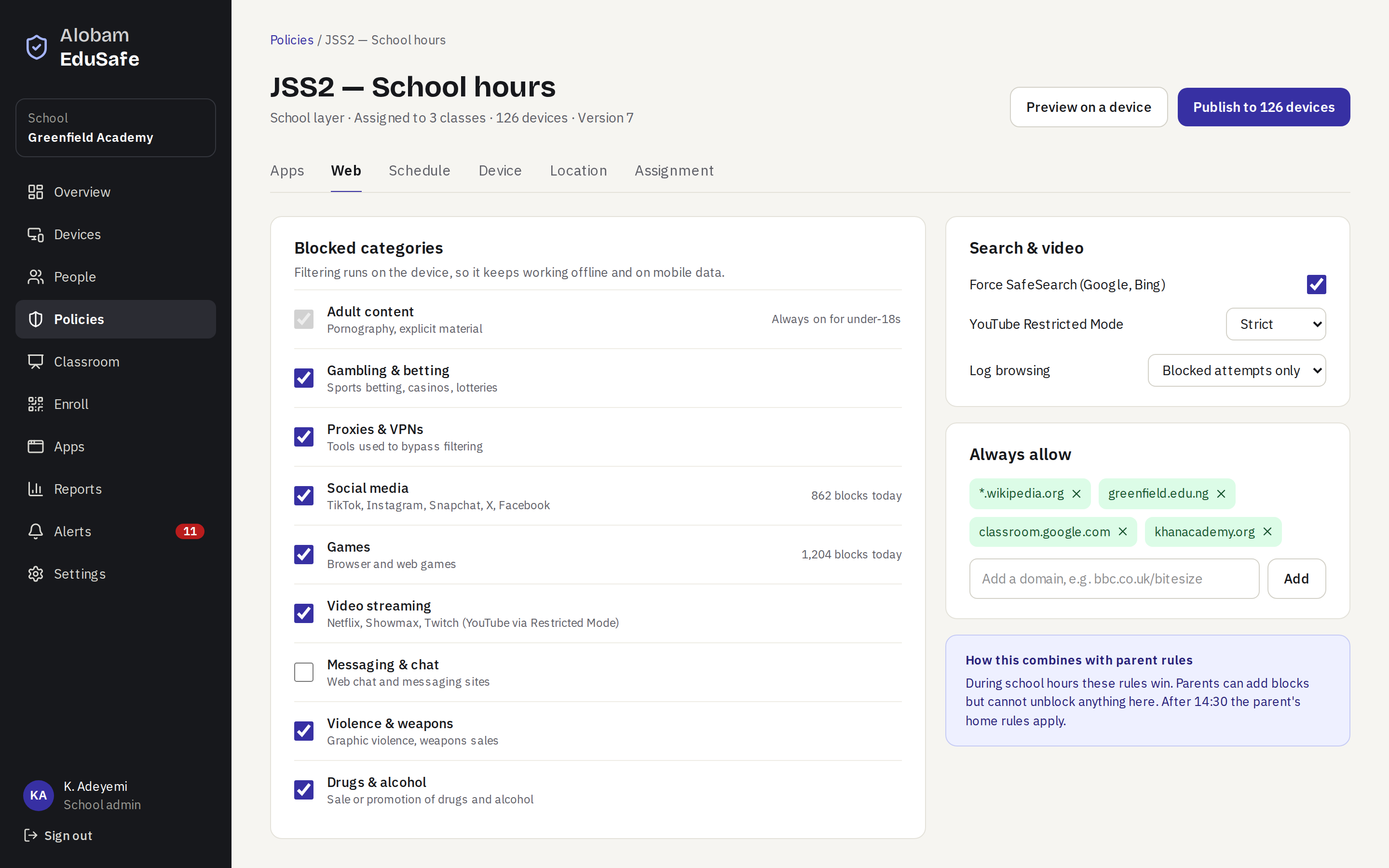
Rules by class and by the clock
Block games, social media and adult content, force SafeSearch and YouTube Restricted Mode, and allow the sites lessons need. Filtering runs on the device, so it keeps working offline and on mobile data.
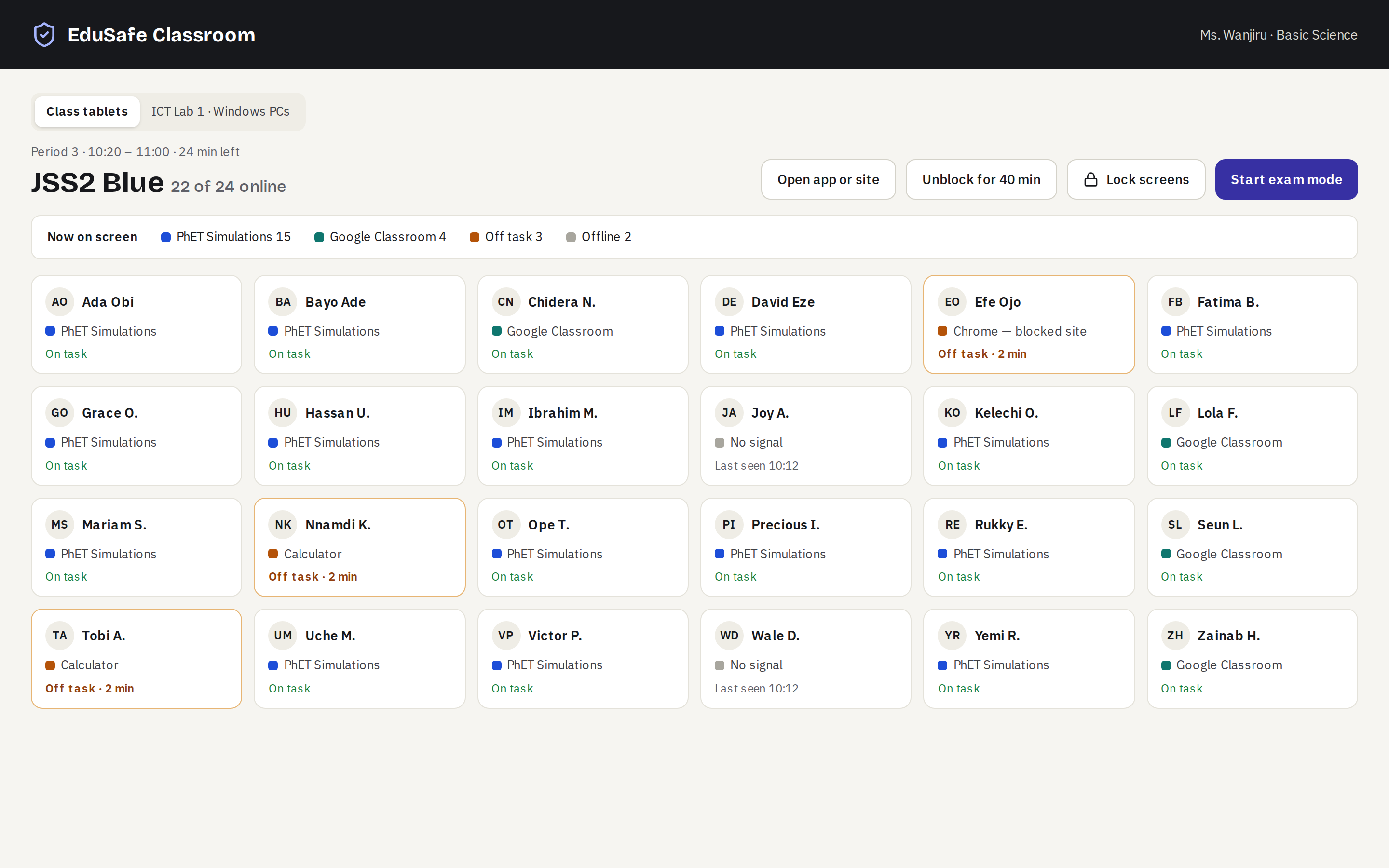
Teach with every screen in view
See what each student has open, then lock every screen, open an app for the whole class or start exam mode in one tap.
Firm rules, fair to everyone
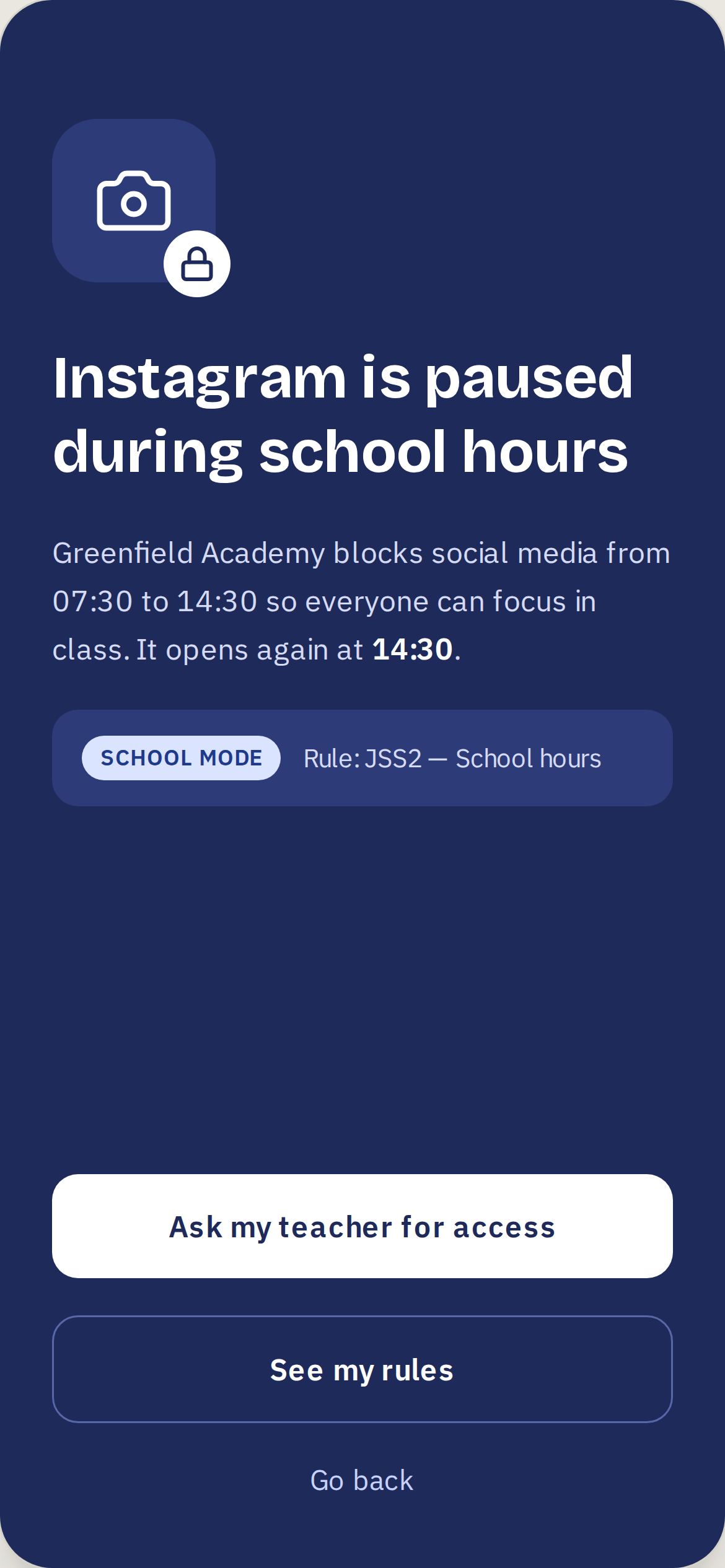
Students always know why
Every block says who set the rule and when it ends, and students can ask their teacher for access in two taps.
Staff devices are adults' devices
The school never sees staff browsing history or messages, and off duty it sees nothing at all.
For parents and guardians
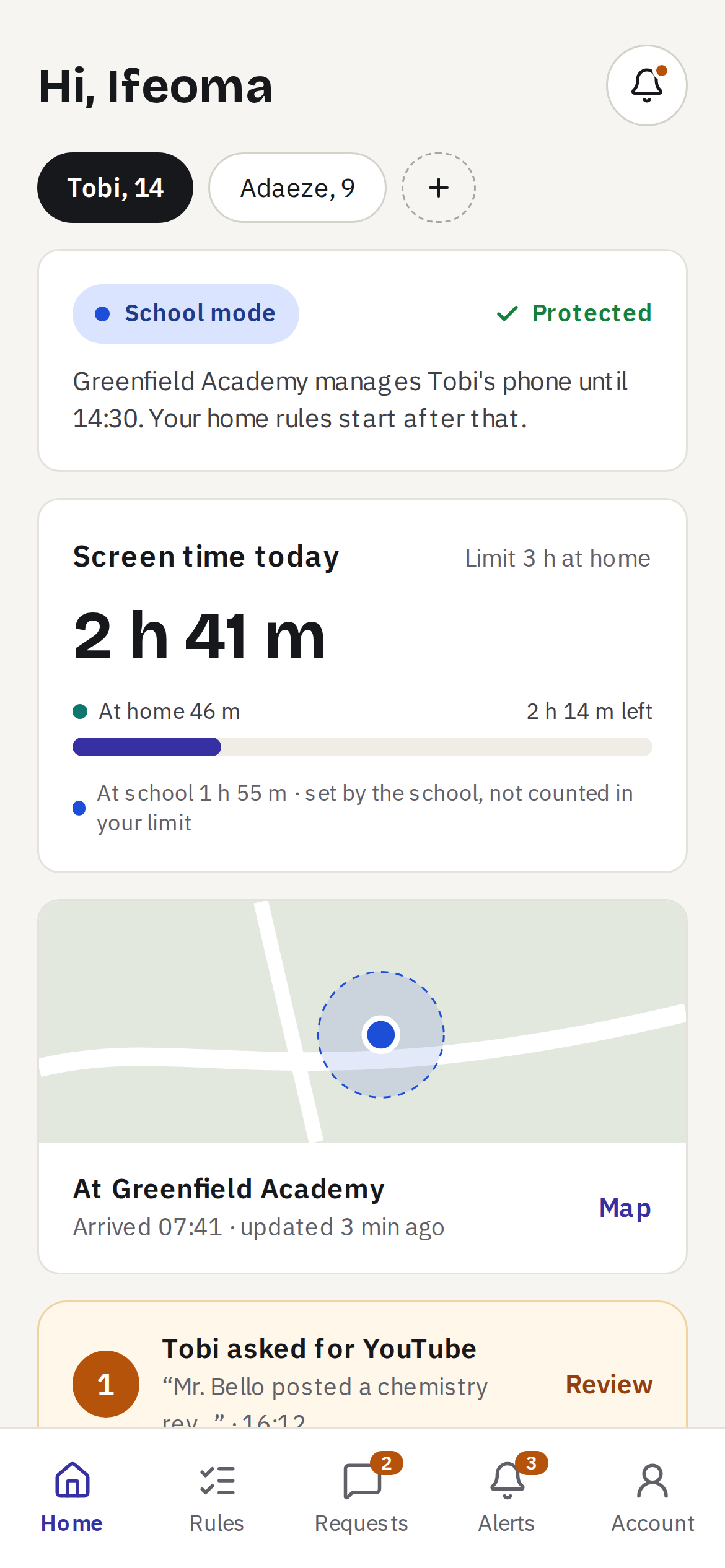
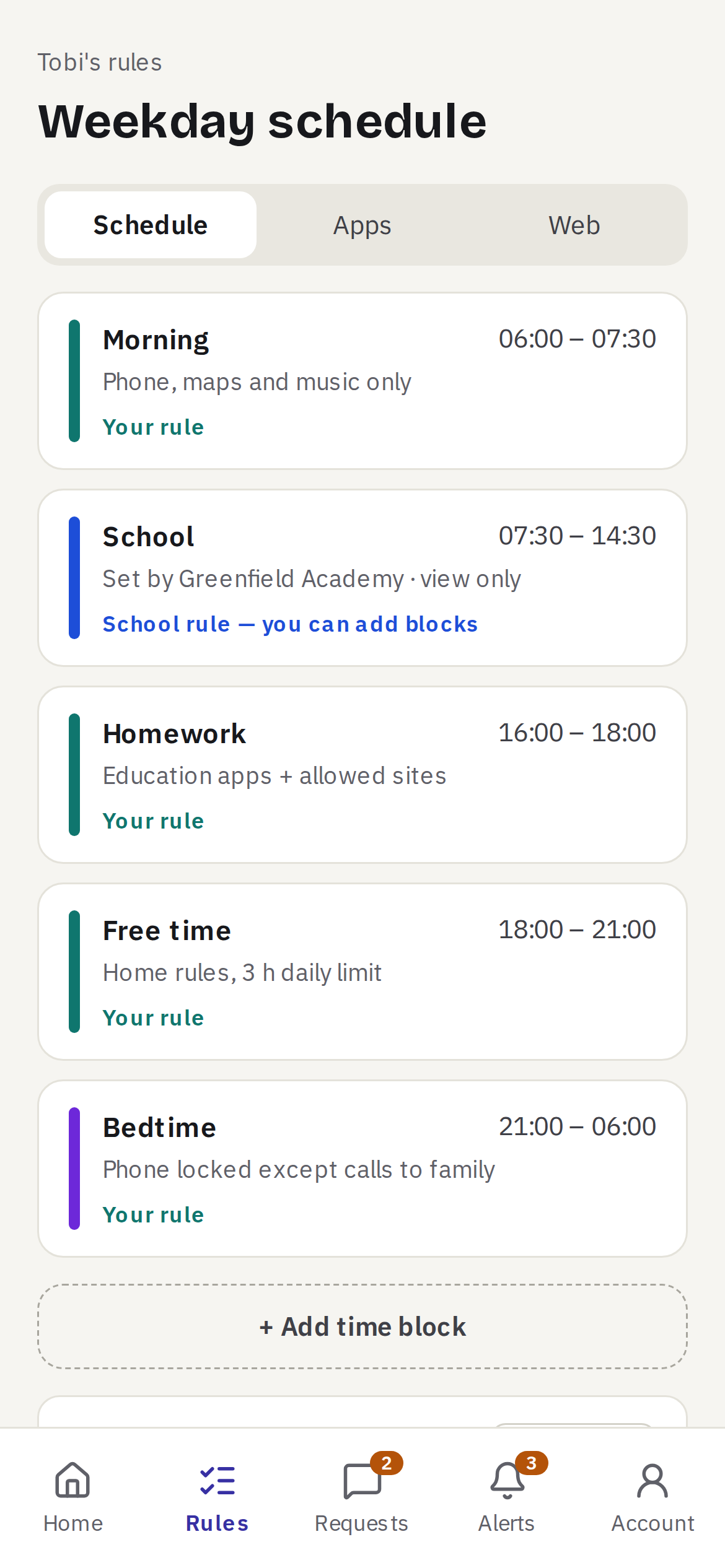
School rules until 14:30. Your rules after.
- Home rules on the same device. Set screen-time limits and bedtime on your child's phone and tablet. They start when school ends.
- Know where they are. See your child's location. Location history is deleted after 30 days.
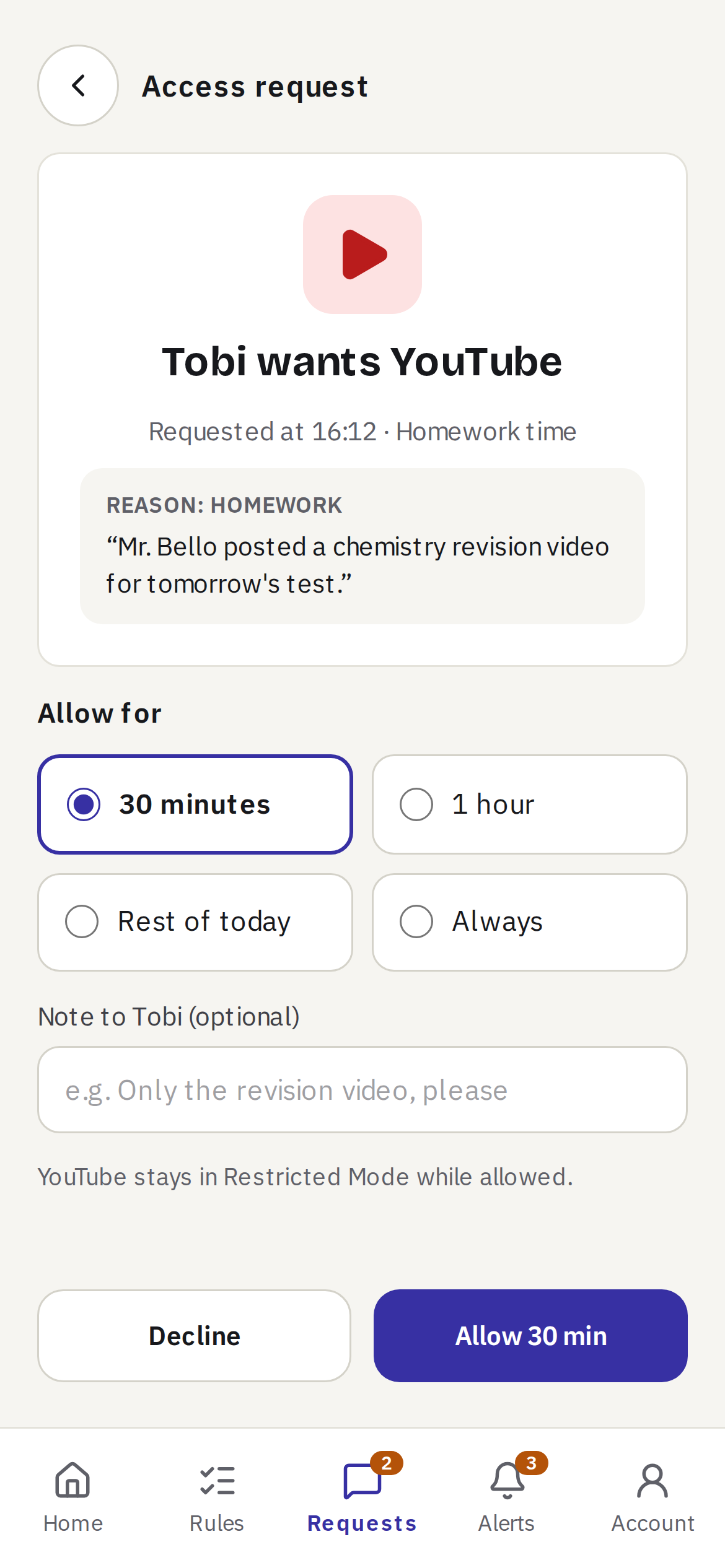
- Approve apps in one tap. Your child asks for a game or an app, and you say yes or no from your phone.
- A weekly summary of screen time and requests, sent by email.
At home, no school needed
Protect your children's Android phones and Windows PCs. 14 days free, no card.
Start your free trialYour child's school uses EduSafe?
Parent Plus is free for the term. Sign up the same way, then link the school.
Your child always sees that EduSafe is on their device. There is no hidden mode, and it never reads messages. Family terms and privacy
Computer labs and laptops
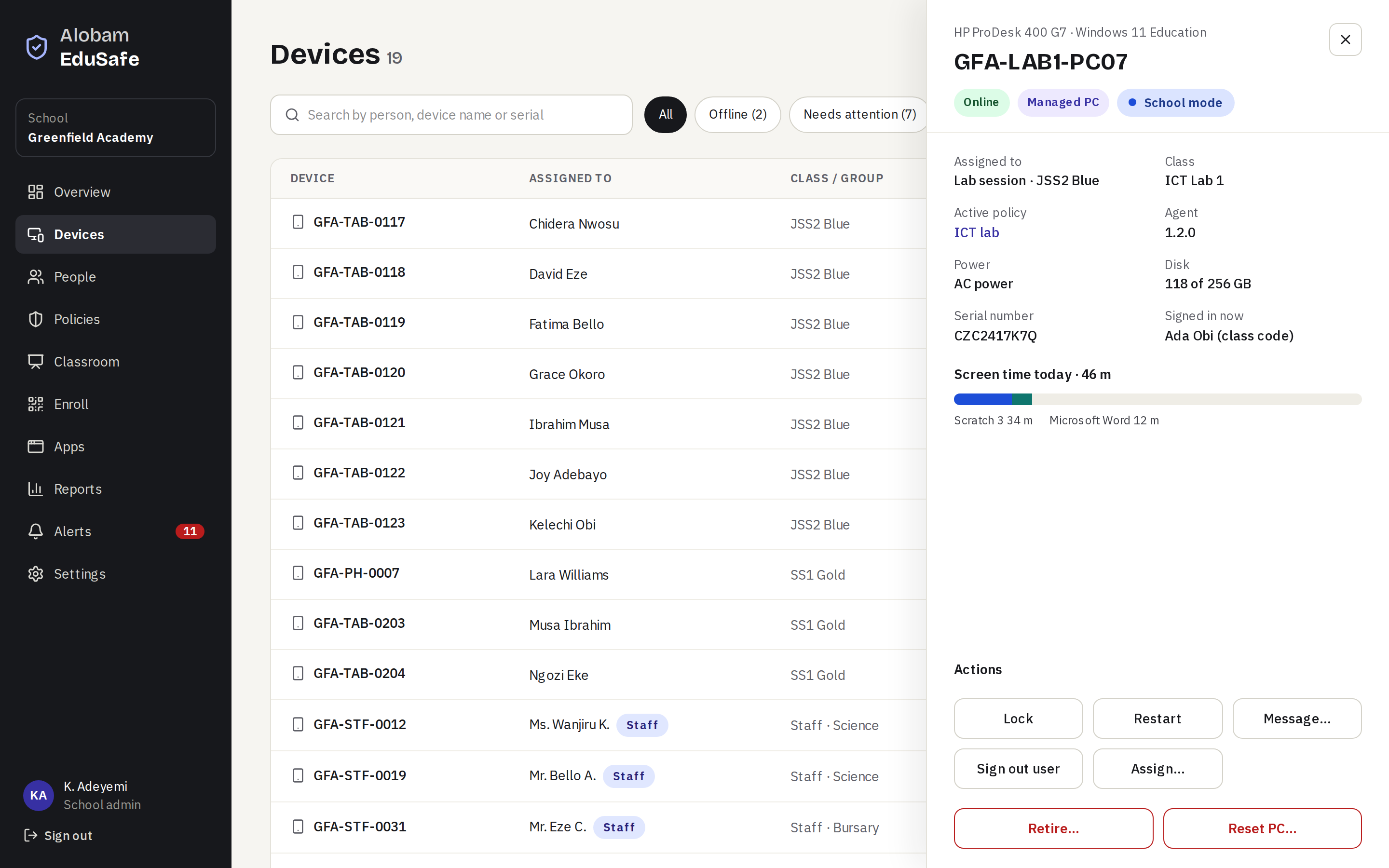
Students sign in to shared Windows PCs with a class code, every lesson starts with a clean PC, and exam mode locks the whole lab at once. Staff laptops and lab PCs sit in the same dashboard as tablets and phones: lock, restart or message any of them.
Set up a class in an afternoon
- 1
Enroll
Reset a tablet and scan a QR code. About 3 minutes per device.
- 2
Choose rules
Pick a policy for each class or staff group.
- 3
Done
Devices follow the school timetable and alert you if anyone tries to remove EduSafe.
Priced in naira, billed per term
Pay online by card, bank transfer or USSD through SeerBit, or by bank transfer against an invoice. Schools can add it to the term's technology levy. Prices exclude VAT.
School Standard
- Enrollment and device list
- Class policies and web filtering
- Reports, alerts and audit log
School Classroom
- Everything in Standard
- Live classroom and exam mode
- Parent linking
Group / Government
- For groups of schools and state programmes
- Central reporting across schools
Parent Plus is ₦3,000 a month or ₦30,000 a year for up to 5 children after a 14-day free trial, and free for the term through a school that uses EduSafe.
Built to be trusted with children's data
Two-step sign-in
Every school admin signs in with a code from an authenticator app.
Audit log
Every admin action and every look at a student's data is recorded.
Kept only as long as needed
Location for 30 days and web logs for 90, then deleted.
Nothing in secret
EduSafe is always visible on the device, with a notice saying who manages it.
Questions schools ask
Does it work without Wi-Fi?
Yes. Rules and web filtering run on the device, so they keep working offline and on mobile data.
Can students uninstall it?
Not on school-owned devices set up with a QR code. On other devices you're alerted to any attempt.
Which devices does it support?
Android 9 or later with 2 GB of RAM, including Samsung, Tecno, Infinix, itel and Xiaomi, and Windows 10 and 11 PCs.
Is it on the Play Store?
No. The school installs it while setting up each device, which is also what stops students removing it.
Can parents use it without a school?
Yes. Sign up with your phone number, add your children and connect their Android phones or Windows PCs. The first 14 days are free. Your child always sees that EduSafe is on their device.
Can teachers read students' messages?
No. EduSafe never reads messages, calls or photos, and staff devices never report browsing history.